This week we looked at some digital resources that we could use in the classroom like Google Classroom. These resources allow for students and instructors to share their work and materials in a seamless way. It also centralizes many of the different responsibilities and roles of the teacher into one program, so a student roster, gradebook, course material, etc. are handled by one program.
One piece of tech we examined was obsidian.md, a note taking and graphic organizer program. Notes are organized into nodes that connect to related notes in a web or lattice. I have been using obsidian for my personal use during my rpg campaigns. Currently I am using the program in my free inquiry project for this class. Here is a screen-shot of my current web for my campaign setting.
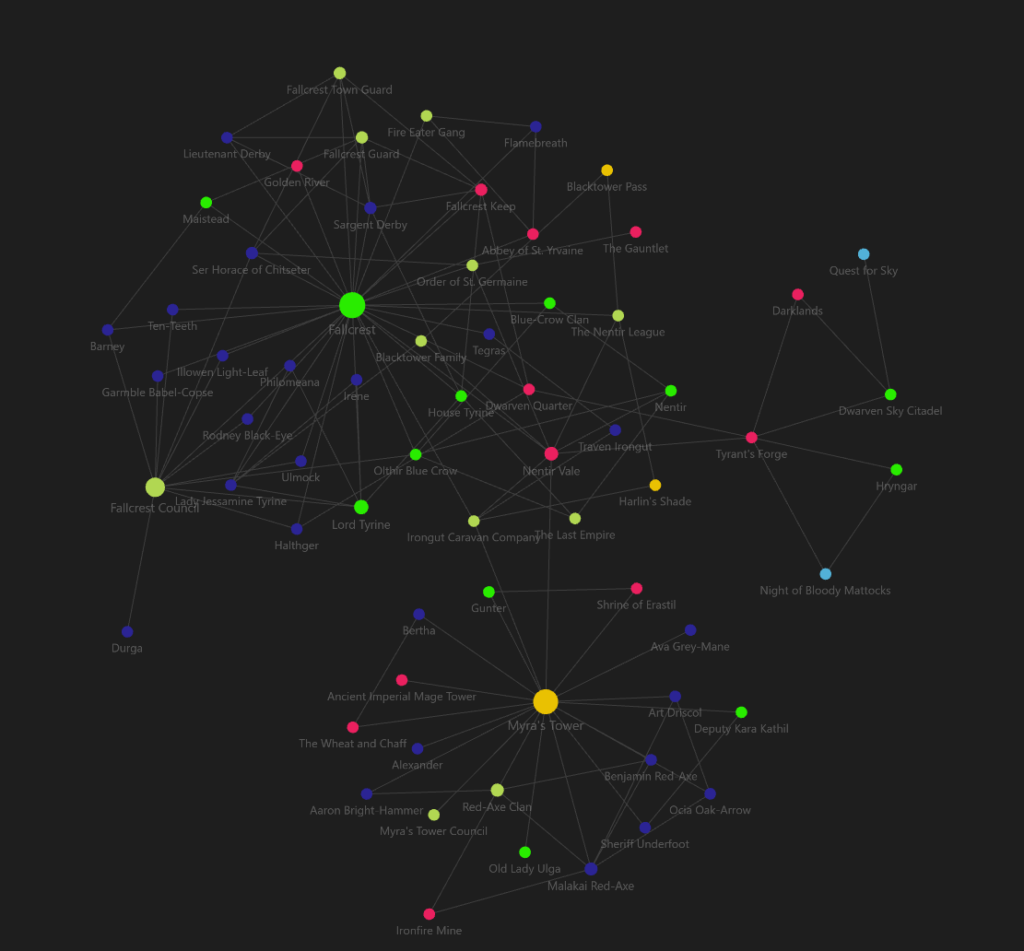
I could see this be an interesting way of organizing notes for historical events in a social studies class, but I would have to be more comfortable organizing and compiling my notes into a more concise, logical manner.
One issue with using these in education is that not all students will have the same level of access to technology outside of school, and even some schools might have limited access to technology. So it is important to keep equity and equality in mind when designing courses and the ways information is shared.
Another issue is accessibility. Many of these programs are designed. However, that can also provide a challenge for those who might have input or output issues or other exceptionalities that can hinder organizational skills. As such it is important to take a temperature check of the class and experiment with which of these kinds of tools work for the class and particular students, and be willing to change and adapt.